Review Comments (0) Screenshots (3) Questions & Answers (0) Votes (0) Awards (2) Wiki  
Apple Inc.
10.2.1.1
www.apple.com
Freeware
11 people
Download Apple iTunes

77.12 MBDownloaded 120 times


Review

Apple has established a steady reputation for producing the best MP3 player available. With iTunes, they bring to your desktop the same smart features that brought the iPod to fame. iTunes handles your music, videos, podcasts, apps, has internet radio, and much more.

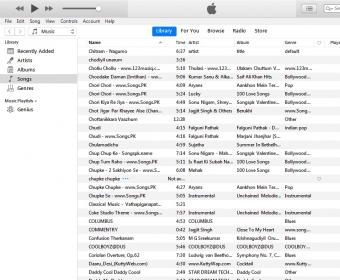
For viewing your music, there are four views that you can use: List, Album List (divides the list into albums), Grid (squares are shown for album, artist, composer, or genre), and Cover Flow (an iTunes specialty that displays the music's album art which can be leafed through). iTunes also has an outstanding playlist feature, so that you can organize your music into whatever way you want to. Playlists can be organized into folders, and smart playlists will automatically compile all the media that fits your criteria.

The iTunes DJ is an active playlist feature that plays a number of songs that you request. iTunes also takes a high priority on matching those songs in your collection that go well together. This is called "Genius", and it will give you "Genius Mixes" and will also compile a playlist based off of your specified song. New to iTunes v.10, Ping is a spin-off of all of those social networks with a musical twist. You can share and comment about music and you can follow your favorite artists and your friends' profile.

iTunes also handles your Apple devices and will synchronize them with your library. For the times when you don't want your music to get in the way, iTunes has a mini-player that shrinks all the controls you need into a small bar. Right-clicking on songs and selecting "Get Info" allows you to edit the song's information and options (i.e., artist name, lyrics, automatic equalizer preset). An equalizer option is also available, with plenty of presets and manual controls as well. The iTunes Visualizer makes for an interesting way of visualizing your music, and an option is available for iTunes to cross-fade your songs.

With all these amazing features (and more), Apple iTunes is one of the best (if not THE best) media players for your desktop. The iTunes Store is one of the largest online music stores in the world, with thousands of media files. However, it can be rather slow at times.
  • Smart playlists and regular playlists are available to sort your music in every imaginable way.
  • There are four ways of viewing your media: list, an album list, grid, and cover flow.
  • If iTunes is in the way, there is a mini-player.
  • It is rather slow, especially on the store side.

Reviewed by: Ed Schick

Reviewer rating:

Reviewed: 5 months ago

What's new in version 10.2

Ping- A music-based social network for discussing and "liking" music.
TV Show Rentals
AirPlay
Apple TV- Its back and better than ever.
Improved Syncing
Report a wrong version Report a wrong program title Suggest a correction

Screenshots

Music in Grid view Music in Grid view The iTunes Store The iTunes Store Genius Mixes Genius Mixes

Latest comments


There are no comments, be the first one!
Add new comment

E-mail Address:

Password:

Register now »

Forgot password?

Sign in with:
Download Software Informer Client
Copyright © 2012, Informer Technologies, Inc. About| Privacy and terms| Help| Feedback & Support| Partners program